Sign in with your organization's Microsoft account to view and
manage your licenses.
Early Access Version — This portal is under active development.
CSP Admin Mode
Action RequiredMicrosoft Customer Agreement Not Accepted
Your organization is currently unable to make subscription modifications because the
Microsoft Customer Agreement (MCA) has not been accepted. This agreement must be reviewed and accepted
by a Global Administrator before services can be modified.
Step 1. Sign in to the Microsoft 365 Admin Center using a Global Administrator account.
Step 2. Navigate to Billing → Your products or follow the agreement prompt displayed on the dashboard.
Step 3. Review and accept the Microsoft Customer Agreement.
Step 4. Allow a few minutes for changes to propagate, then retry your request.
Need assistance? Contact your Vervint CSP support team at
csp@vervint.com.
WarningCould Not Confirm Microsoft Customer Agreement Status
We were unable to verify your organization's Microsoft Customer Agreement (MCA) acceptance status.
Subscription modifications are temporarily unavailable until this can be confirmed.
Need assistance? Contact your Vervint CSP support team at
csp@vervint.com.
CSP Storefront
User: Email: Domain: Tenant: Role:
▾
Upcoming Expirations
Clear Selection
▾
Subscriptions
Clear Filter(s)
Loading subscriptions...
Product
Quantity
Unit
Status
Term
Billing Cycle
Start Date
End Date
Auto-Renew
Action
▾
Azure Reservations
Clear Filter(s)
Loading reservations...
No reservations found.
Reservation Name
Type
Details
Quantity
Status
Term
Billing
Scope
Expiry Date
▾
Software & Other
Clear Filter(s)
Loading software purchases...
No software purchases found.
Product Name
Details
Type
Quantity
Status
Expiry Date
▾
Order History
Clear Filter(s)
Loading orders...
No orders found.
Date
Name
Quantity
Term
Modify Subscription
Loading pricing...
Estimated pricing — subject to Microsoft pricing changes, credits, and adjustments.
Cancel Subscription
This action will permanently cancel this subscription. This cannot be undone.
Report a Bug
Help us improve by describing the issue you encountered. Your activity log for today will be included automatically to help our team investigate.
How to Get Modify & Cancel Access
To modify or cancel subscriptions, a Global Administrator in your organization
must assign you the Vervint CSP Purchaser role in Azure Entra ID.
Share these instructions with your admin, or
open Enterprise Applications directly.
1
Open Enterprise Applications
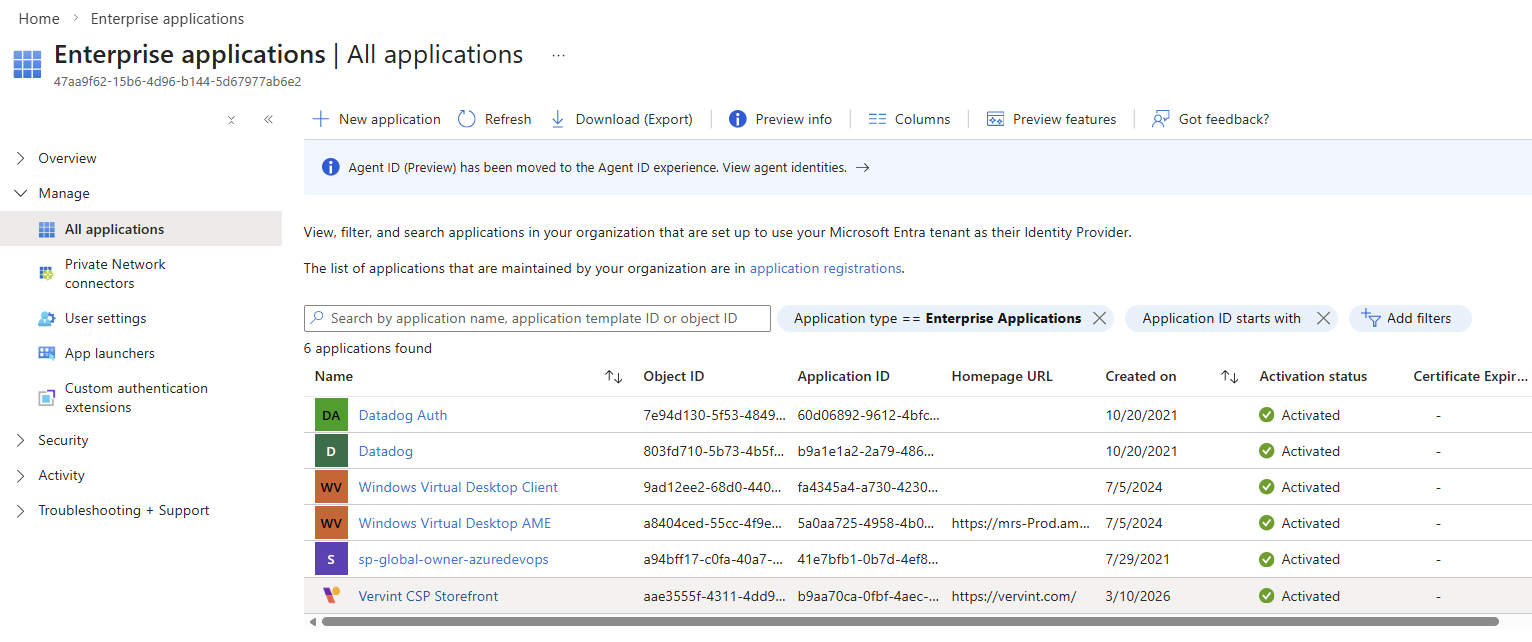
In the Azure Portal, navigate to Enterprise applications > All applications and find Vervint CSP Storefront.
2
Go to Users and Groups
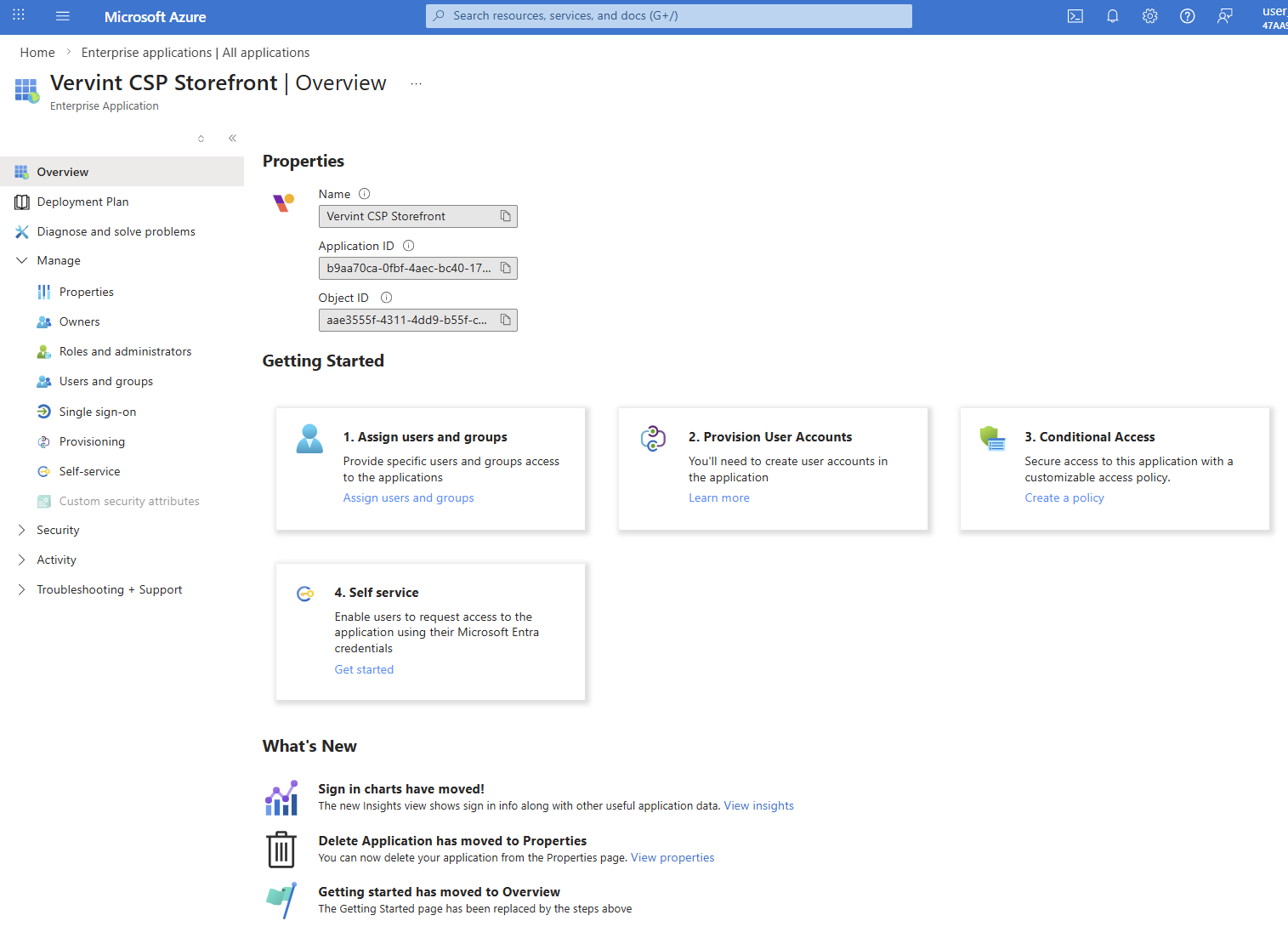
From the app overview, click Users and groups in the left sidebar under Manage.
3
Add User/Group Assignment
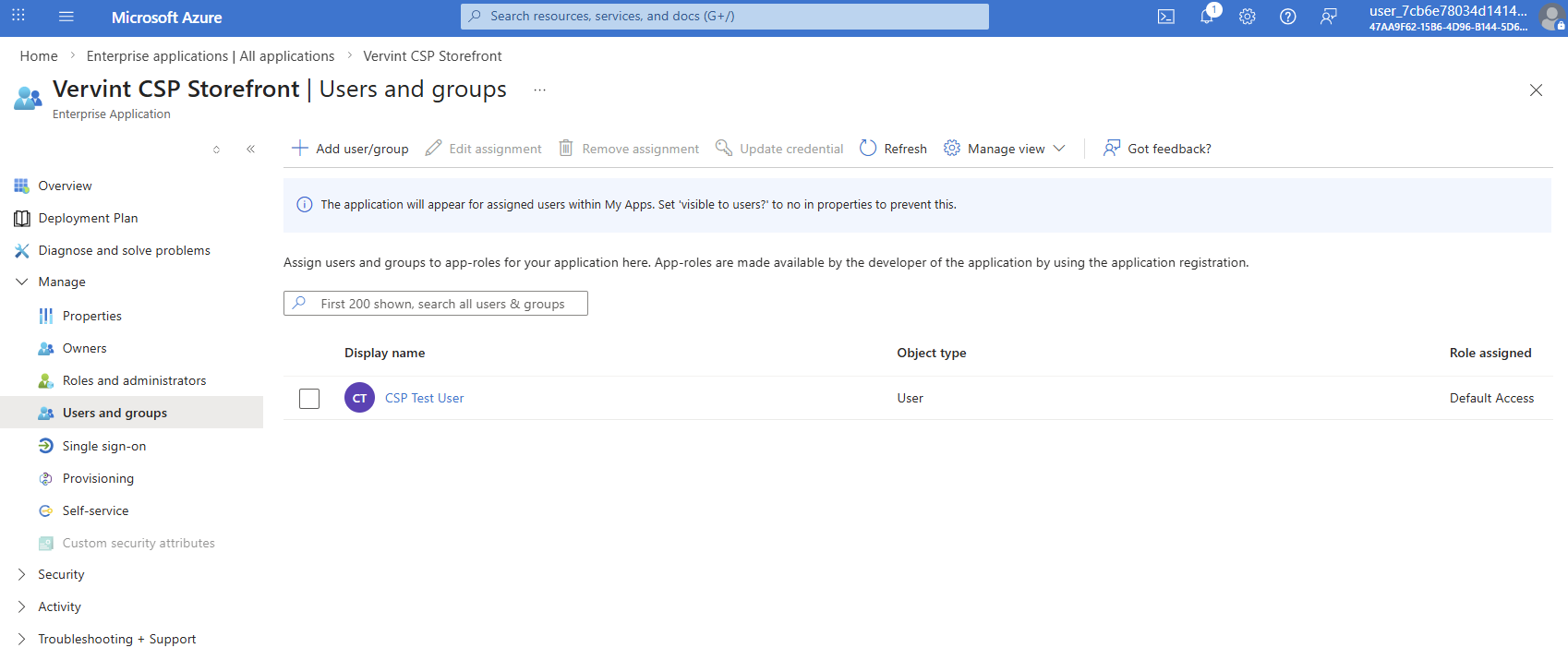
On the Users and groups page, click + Add user/group in the toolbar.
4
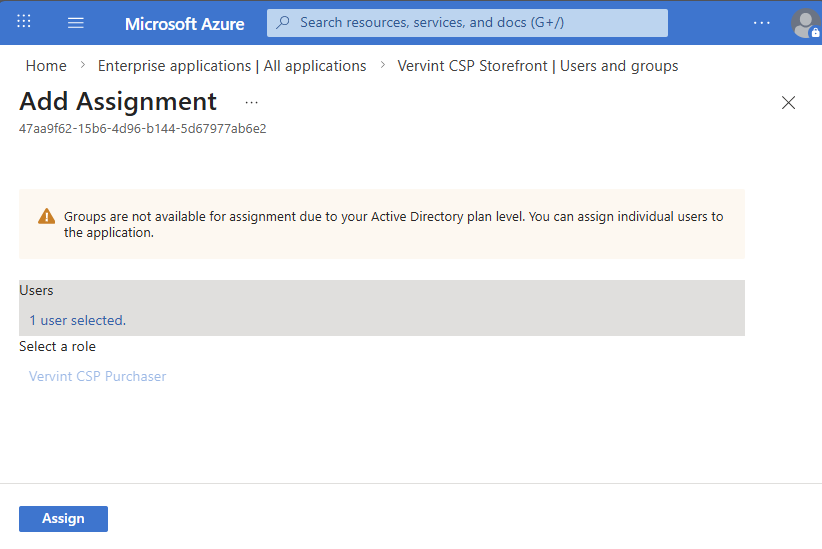
Select the User and Role
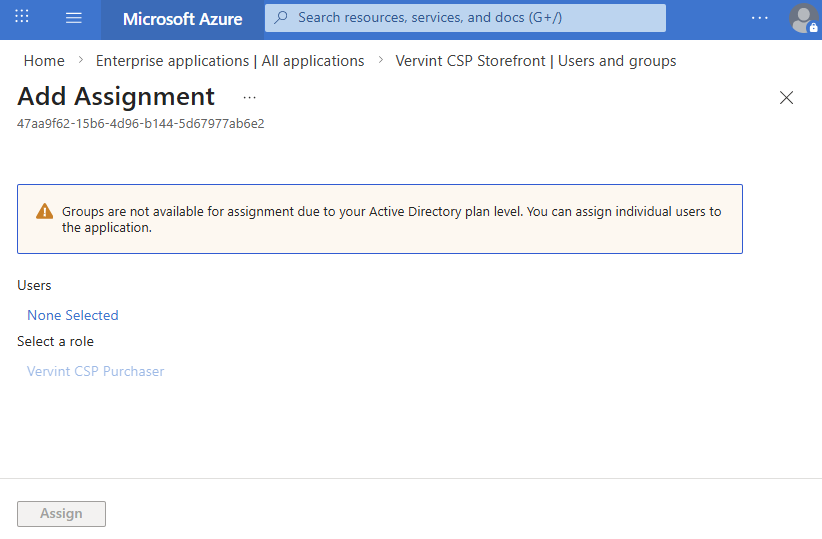
On the Add Assignment page, click None Selected under Users to search for and select the user. Then under Select a role, choose Vervint CSP Purchaser.
5
Assign
Once the user and role are selected, click Assign to complete the role assignment. The user will need to sign out and sign back in for the change to take effect.